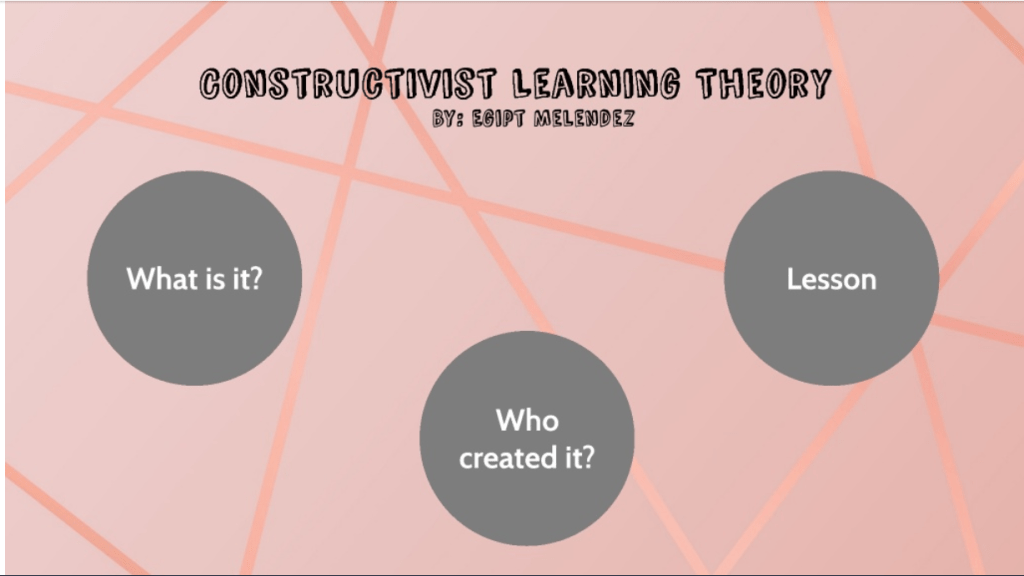
For this week’s assignment, we were asked to create a presentation using the website Prezi (prezi.com .) Prezi is a website that allows users to create interactive slideshow presentations. Before this assignment, I had never used Prezi before. It seemed very confusing at the beginning but after watching the beginners tutorial on how to use the site, I realized just how simple the site was to use. I created a Prezi on the learning theory that I chose last week, which was the Constructivist Learning Theory.
There are so many different ways that information and knowledge can be processed during the education process. The three main learning theories are Behaviorism Learning Theory, Cognitivism Learning Theory, and Constructivism Learning Theory. The Behaviorism Learning Theory focuses on the learner essentially being passive, responding to environmental stimuli and their behavior is shaped through positive reinforcements or negative reinforcements. The Cognitivism Learning Theory focuses on thinking, memory, knowing, and problem-solving. The Constructivism Learning Theory focuses on student-centered discovery learning. The theory that I most identify is the Constructivism Learning Theory. I feel like I relate to this theory because I believe that children learn the best through taking in information from their own experiences and discovery. I feel like the knowledge that children gain through their own experiences, is the knowledge that will stick with them for a long time. As a teacher I can take what my students understand and can conceptualize and I can create an activity hat requires them to use their prior knowledge and observations to aid in their learning.
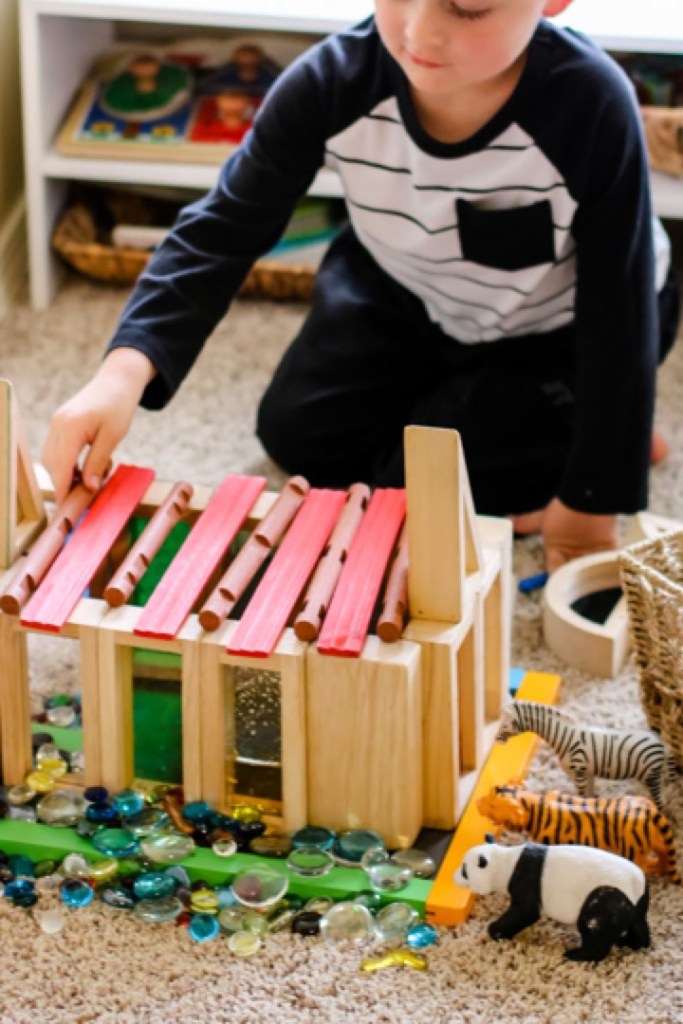
An activity that I can do with my preschool class that involves the Constructivism Learning Theory, would be to hand a basket full of random bits and pieces from different toys and blocks to my students. This will require them to come up with their own ideas of what they should build. To make the activity a little more challenging, I can ask them to build something more specific like a house, farm, building, or car. They will have to take what they already understand about the structure of a house and take that information and use it to build a house out of objects that may not have a direct connection to the construction of a house. This activity will allow my students to draw from their past knowledge and understanding of specific items in order to construct them using their own ideas that they have come up with.
This week we were assigned to look at the New Jersey Core Curriculum Content Standards for Technology. These standards are reviewed and adjusted very five years. These standards describe what the students should know and be able to complete after their thirteen years in public schooling. These standards act as a foundation for what teachers should include and complete within their daily lesson plans. I looked at each standard and chose four indicators that I would create activities for for my classroom. I hope to teach preschool or first grade.
Grade Level: K-2 ( 1st )
Standard: 8.2 Technology Education, Engineering, Design, and Computational Thinking – Programming: All students will develop an understanding of the nature and impact of technology, engineering, technological design, computational thinking and the designed world as they relate to the individual, global society, and the environment
Indicator:8.2.2.E.1 List and demonstrate the steps to an everyday task
To help my first grade students reach this standard, I would create an activity where the students are required to create a google slide presentation demonstrating how to complete a certain task. Examples of some tasks can be how to tie a shoe, how to make a peanut butter and jelly sandwich, how to make slime, or even how brush your teeth. I would also allow my students to list out the different steps that they go through in the morning to get ready for school alongside what steps they go through when they get home from school. This activity would be a great way for students to become familiar with using google slides as well as familiarizing them with listing out the steps to complete a task.
Grade Level: Preschool
Standard:8.1 Educational Technology: All students will use digital tools to access, manage, evaluate, and synthesizeinformation in order to solve problems individually and collaborate and to create and communicate knowledge.
Indicator:8.1.P.B.1 Create a story about a picture taken by the student on a digital camera or mobile device.
An activity that I would do with my preschool class would be to have the students take photos on a digital camera and have them talk about the pictures that they took and tell the story behind them. After they take their pictures I will print them out and then the class would go to circle time and take turns talking about the pictures that they had taken. This activity will help the students become familiar with using a camera and taking pictures.
Grade Level: Preschool
Standard: 8.1 Educational Technology: All students will use digital tools to access, manage, evaluate, and synthesize information in order to solve problems individually and collaborate and to create and communicate knowledge
Indicator: 8.1.P.A.3 Use digital devices to create stories with pictures, numbers, letters and words.
An activity that I would do with my preschool class to ensure that they meet this standard would be to have them create a collage using picmonkey.com or any other collage making website with pictures of their family so that they can create a virtual family tree. This activity will allow them to become familiar with creating collages using a digital software as well as showcase their family members and present it to me as well as their classmates.
Grade Level: K-2 ( 1st )
Standard: 8.2 Technology Education, Engineering, Design, and Computational Thinking – Programming: All students will develop an understanding of the nature and impact of technology, engineering, technological design, computational thinking and the designed world as they relate to the individual, global society, and the environment.
Indicator: 8.2.2.A.5 Collaborate to design a solution to a problem affecting the community.
An activity that I can do with my first grade classroom could be to have them create a poster about recycling and how to properly recycle. Before they create their posters, I will have them search the internet and YouTube to find information on the importance of recycling and methods on how they should properly recycle. After they gather their information, I will have them use a website such as Canva.com, to create their poster. After they are finished with their posters, I would ask for permission for them to hang them up throughout the school hallways.
This week I read an article for my Instructional Tech for Teachers class by Keith Heggart called What We’re Getting Wrong About the Technology in Schools Debate (https://www.edutopia.org/discussion/what-were-getting-wrong-about-technology-schools-debate-0). I recommend that everyone should read this article. I thought that the article was very interesting but I will get into my thoughts after I answer the five rhetorical questions that were asked throughout the article:
Is there some truth in Dr. Vallance’s argument that there was no place for laptops in schools? I believe that there is a bit of truth in his argument because computers and technology can be very distracting sometimes, especially for older students. If technology is used correctly then I can see the benefit of having it in the classroom. However, if students are using technology to check social media or play games while in the classroom, then I do not think that computers have a place in that classroom.
2. What is the point of this post? I think the point of Keith Heggart’s post is to shine a light on the debate over the use of technology in school classrooms. Technology is fast growing and it is being added to lots of aspects of everyday life. Lots of jobs in today’s world include the use of technology and they expect workers to know how to work with different forms of technology. Teachers need to start looking at technology in a new light and the negative stigma around technology should be lifted.
3. In what way do we use technology? We use technology in various different ways. We use our cellphones, laptops, tablets, and computers. Technology can be seen everywhere and many people always have technology on them in the form of their cellphone. Technology is used a lot of times in research and in making new discoverers. Technology also helps students with doing research for schoolwork and projects.
4. If technology has become an ever-present constant in our lives, then surely one of the most important things that schools must do is teach students how to use it effectively and meaningfully? It is the teachers jobs to make sure that their students are comfortable and familiar with technology because in today’s world technology has become such a big part of everything. Technology can be seen in many jobs and lots of colleges and high schools have moved to a paperless state where everything is online and all assignments are done online.
5. We teach students about a whole host of things that are meant to help them be useful citizens in the future. So why shouldn’t we teach them about using technology safely and effectively? Teachers should take advantage of the time that they have with students in their classroom and take that time to teach them the importance of technology in today’s world. Students will use everything that their teachers teach them about technology and use that years after they leave school because those skills are skills that they will use for the rest of their lives.
I believe that all students deserve the opportunity to learn how to properly and effectively use technology. Children and teens in today’s world just focus on using technology as a way to pass time by scrolling and posting but they are not using it effectively. Technology can be very beneficial for them in their schoolwork as well as when they get an actual career. This generation focuses so much on technology and the use of technology so the children and teens growing up in this generation need to be very familiar with using technology in a work and school setting.
I really love that initiatives are being pushed to ensure that all students are exposed to technology and computer science. Technology is truly a gift and today’s generation is very comfortable and connected with technology in all aspects. I think that it is incredibility important for schools to have access to technology for the students because that gives students who are not exposed to technology outside of school to have the opportunity to get comfortable with technology through the laptops and tablets that the school may provide. Many sites include information and activities based off of coding for students. These are some websites that offer these types of resources:
The first site is Code.org (https://code.org/learn.) Code.org is a nonprofit organization that focuses on expanding technology and computer science into classrooms. They also focus on increasing women and youth representation in the technical field. The site is very well organanized which makes navigating through the site very simple and easy. I really like how they offer an 1 hour trial for the coding programs, which allows users to get it a try to see if they would like to fully go through with their program or not. I also like how their site offers a variety of coding activities and programs for a variety of ages and grade levels.
2. Another site is CoderDojo.com (https://coderdojo.com/.) Coder Dojo belives that coding is very important in the modern world. They also believe that no one should be denied the opportunity to learn how to code and that it is easier to start off early when it comes to learning how to code. I really like the message that they are trying to represent and put into the world. I do not like how confusing their site is. I found the whole site to be very confusing and I could not really tell what a Coding Dojo was. I feel like they should be more clear about the different aspects of their site, but other then that I love their company’s message.
3. Tynker.com (https://www.tynker.com/.) offers coding activities and programs designed for kids and school classroom’s. They market themselves as the #1 site for children to learn how to code. One thing that I really like about the site is that when you go to the game section it offers games by how experienced you are at code. It asks if you have never coded before, if you have coded a few times, or if you have a lot of experience with code.
4. The last site is CodeAcademy.com (https://www.codecademy.com/.) Code Academy is driven by a team of people who believe that education needs to be rewritten and it needs to be taught in a different way. They are changing the way that people think about coding and how they learn how to code. What I like most about this site is that it is obviously meant for adults or people who are more mature. I like this because a lot of the coding sites on the internet as typically based around children and are geared toward a younger audience.
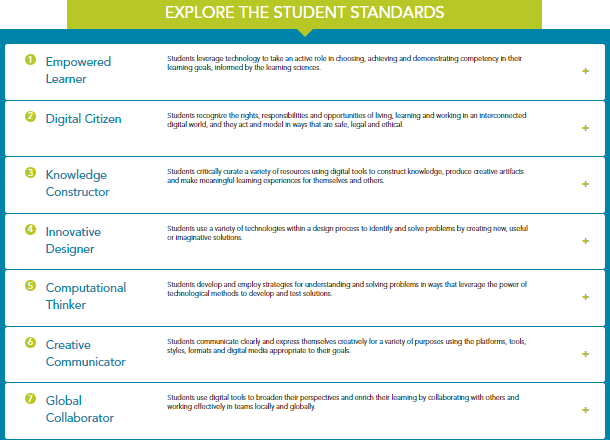
ISTE Standards are in place to ensure that all learning is student driven. It encourages teachers to make sure that learning is centered around student learning and that teaching is driven by the students needs in order for students to be successful. I personally like the standards because they help students take responsibility for their learning. I feel like they also help students keep track of their learning as well as give them an idea of what they should expect and look out for. These standards include skills that the students can use even after they are finished their schooling. These skills can help the students in the real world which is very important.
The standard that I was drawn to the most was the “Creative Communicator” Standard. I am an assistant teacher in a preschool class, so I definitely love creativity and encouraging creativity.
Three learning activities that I would assign (if I was to teach students who are a bit older) would include:
An activity based around our clothing unit would be for the students to come up with their own design for a clothing piece of their choice. The student could come up with any design that they can think of that is 100% their own idea. The clothing piece can be a shirt, a pair of pants, or even a sneaker or shoe design that they can come up with.
Another activity could be for the students to write a short story about their family, they can talk about a memory that they may member about their family, or they can even talk about what each member of their family looks like, their names, and their relationship with them.
The last activity that I would assign would be for the students to create a family tree to represent all of their family members and the connection that they have to them.
This week I made a Thinglink ( http://thinglink.com.) The site was extremely simple and easy to use. Thinglink allows users to create interactive pictures, diagrams, or videos by tagging specific parts of the image or video and inserting various pieces of information. Before the virus called off all schools for the time being, my preschool class was focusing on the various colors of the rainbow. I think that the thinglink that I created would be great to send out to my students so that they can get extra practice with their colors and recognition of the spelling and the actual representation of each color.
In order to make my thinglink, I began with uploading a picture of a rainbow. After my rainbow picture was uploaded, I added tags. Tags allowed me to label each specific color of the rainbow. I added a tag on red, orange, yellow, green, blue, and purple. I then added a tag with a link to a rainbow song on YouTube, because I thought that the kids would enjoy it a lot.
Hmmm….Is teaching an Art or a Science. I personally believe that teaching is a science as well as an art. Teaching requires a lot of planning and setup in order to be a well rounded teacher. Teachers need to make sure that all of their materials are lined up and organized for the upcoming lessons and they have to make sure that they follow the series of steps in order to make sure that each of their students are successful. Teachers need to understand how the curriculum works with each child’s learning style as well as understand how to make sure that every student is hitting the benchmarks that they should be hitting. I believe that anyone can be a teacher if they really have the passion. I do not think that teaching requires a person to be a natural born educator who enjoys standing up in front of a class and talking. These traits and aspects can become learned traits with lots of practice and observation. Teaching can become an art when a person is a natural born educator and everything comes naturally to them.
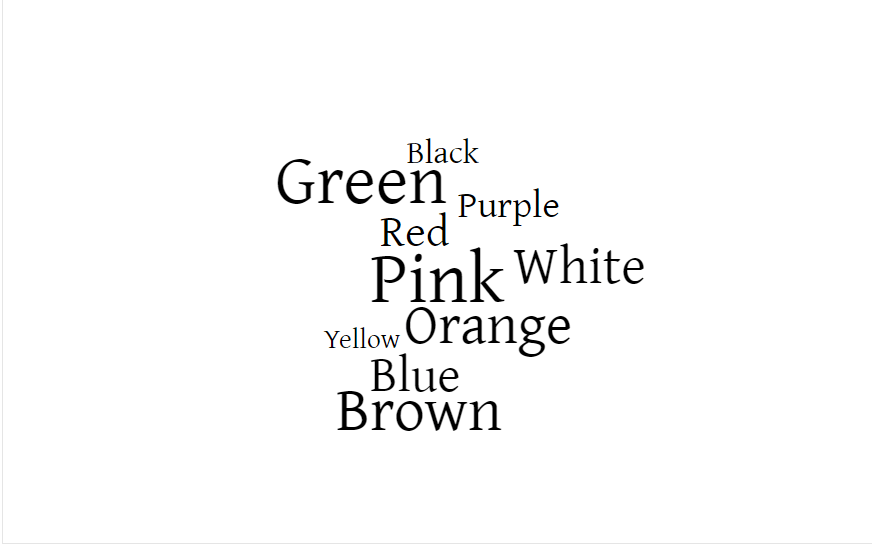
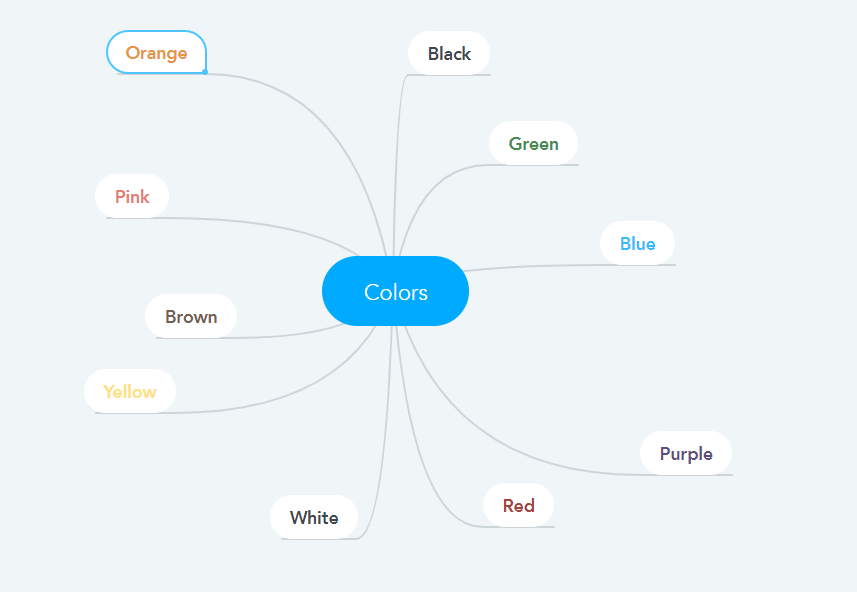
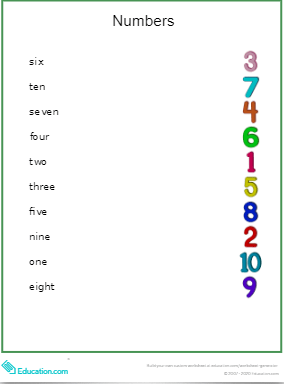
Many students, including myself, are visual learners and need visual aids in order to fully understand and interpret a specific topic. Since I have had some time working in a preschool classroom, I have realized that visual aids can be very helpful for younger learners in preschool to first grade. They help younger students visualize and interpret the information that is being delivered to them. I used three different sites to make different instructional materials that could work as visual aids when teaching about colors as well as numbers.
The first site that I used was WordItOut (http://worditout.com). On this site, I made a cloud of the color names so that students can learn to visualize and identify the color names by looking at them rather than seeing the actual color.
The second site I used was MindMeister (http://www.mindmeister.com). I made a web organizer to showcase the various colors. I think this will help younger students understand the actual color and the spelling of the color name. This is a hard connection to make especially for preschoolers and kindergartners.
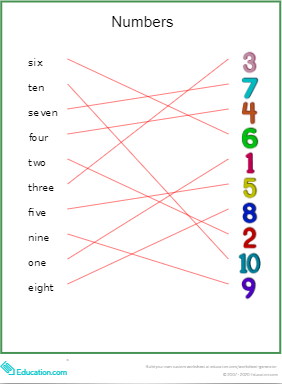
The third and final site that I used was Education.com (http://www.education.com). On this site, I made a worksheet that could be used as a visual aid for numbers. This worksheet is very practical for preschoolers as well as first graders. It is a matching activity that requires students to match the number name to the number symbol. This worksheet can really help younger students recognize numbers as well as the number name spellings.
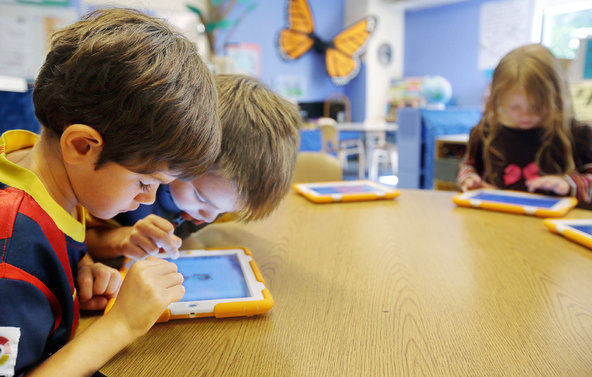
Technology has become such a huge part of the everyday classroom. The United States Department of Education Office of Educational Technology (https://tech.ed.gov) provides various resources for teachers and school districts to encourage the use of technology within the classroom. Three priorities that I choose from the site are Privacy, Professional Learning, and Open Education.
(https://tech.ed.gov/privacy/) Privacy is incredibly important especially when introducing technology to younger students. It is essential for teachers to make sure that the students IP addresses and locations are protected while they use technology within the classroom. The school should also put restrictions and warnings on sites that may be inappropriate or dangerous for the students to visit.
(https://tech.ed.gov/professional-learning/) Professional learning is important because teachers need to be well educated on the different applications and sites needed in order to incorporate technology into their classrooms appropriately. Teachers can also collaborate and create organizations to share and receive input on different technological techniques from other fellow teachers as well as students.
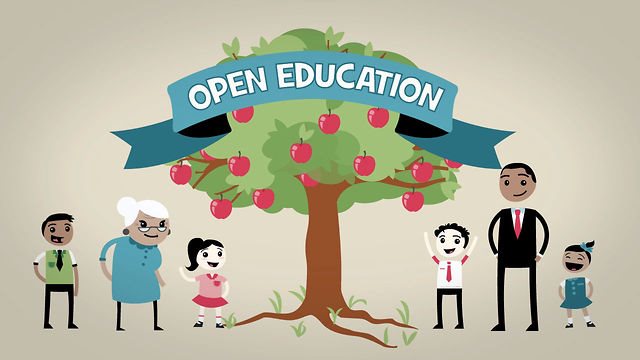
(https://tech.ed.gov/open/) Open Education is important because students should be able to find and retrieve information without having to worry about certain restrictions and copyright laws. All students should have the equal ability and opportunity to access the same materials. Students should also be granted access to online textbooks as well as other useful documents on the internet.





 Egipt Melendez's Teaching Blog